BeanB0X
Bring in a finished mix, try eight character processors in parallel, and render the result. A small standalone space for the final touches.
A finishing bench for your mix.
BeanB0X loads audio files and routes them to eight shared processing buses. You can blend in what each processor adds without building a long chain in your DAW.
Get BeanB0X on Gumroad $0 — pay what you want · Standalone app · Windows + Linux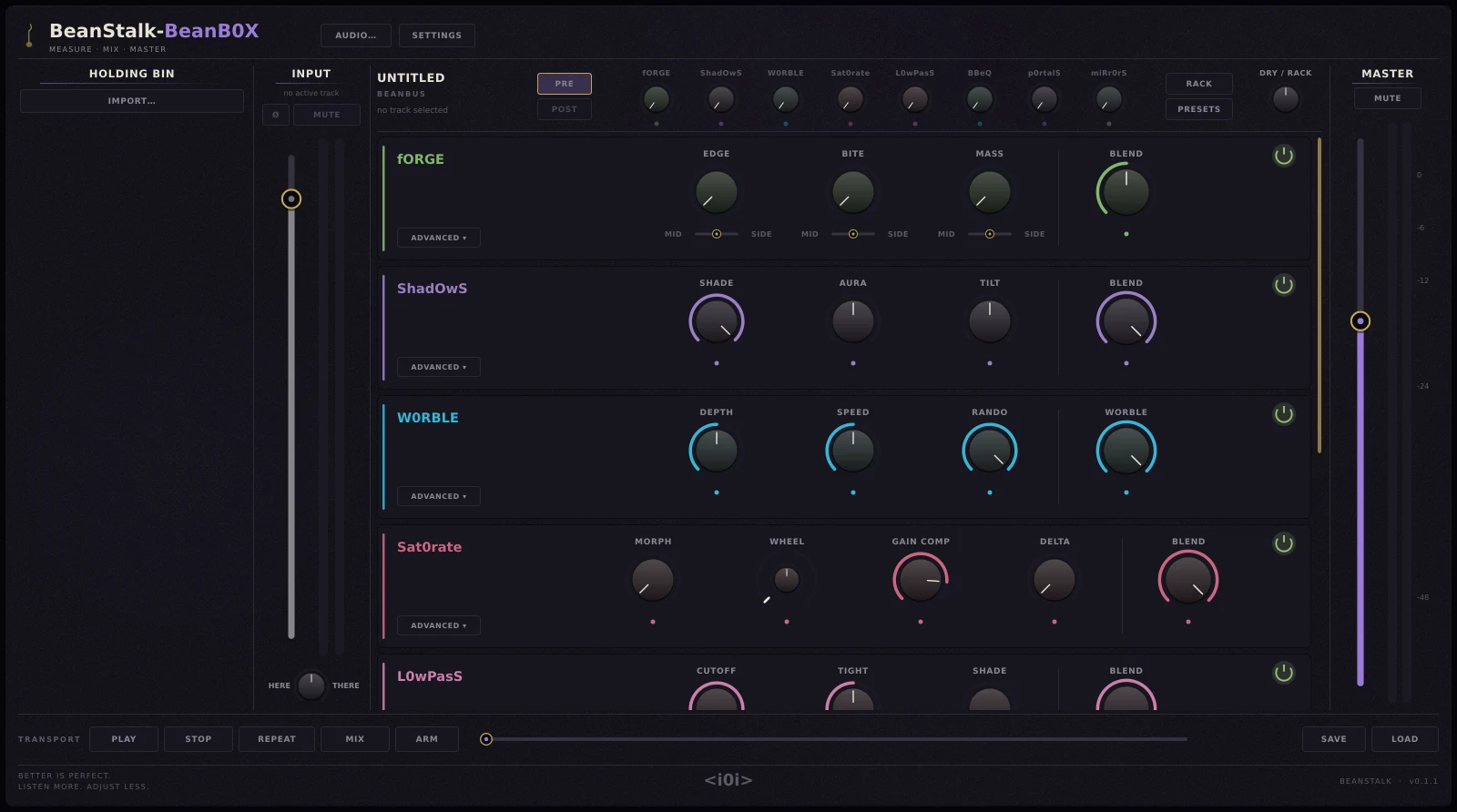
So, what does it do?
Bring in a finished mix, try your favorite processors, and render a new version. Think of BeanB0X as a little workbench for the final touches.
Eight shared buses, not a chain.
Every module exists once. Each track sends to each bus by its own amount, tapped before or after its fader; a bus nobody sends to never runs. The summed return is crossfaded against the dry signal by DRY / RACK, and the dry path is delayed to match the slowest module, so muting the rack never shifts the output in time.
Everything between the file and the render.
Eight BeanBus plugins. Each one a page of its own.
These are the processors BeanB0X hosts, and they come in the download as ordinary VST3 files, so they also work in your DAW. Pick one to see what it does.
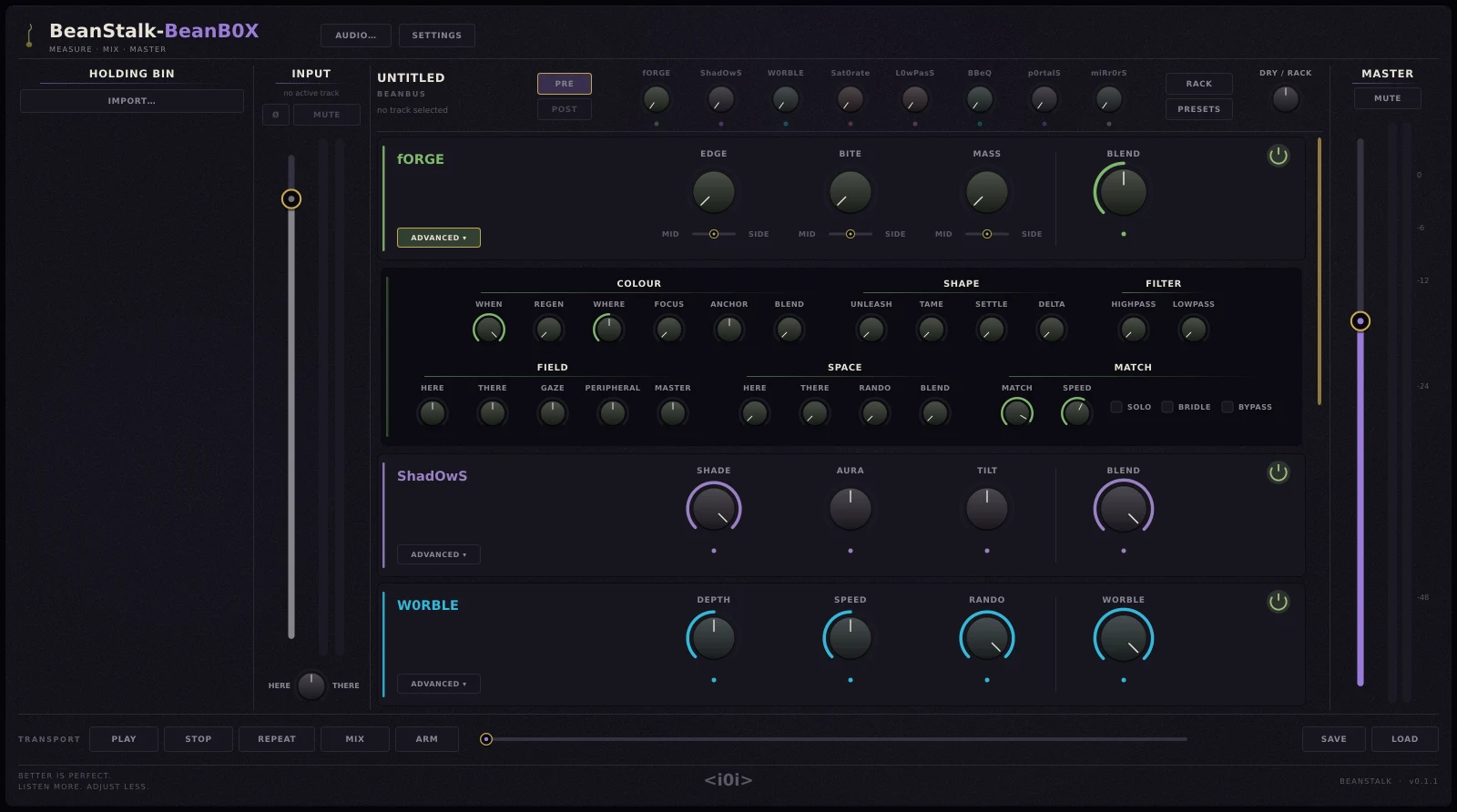
A closer look at the controls
Violet and dark. Part of the BeanStalk family.
A header band, then Holding Bin, Input, Rack and Master split by hairlines, one transport strip, and the family footer. The whole window scales uniformly from a 1600-unit design and opens at a size that fits your screen.
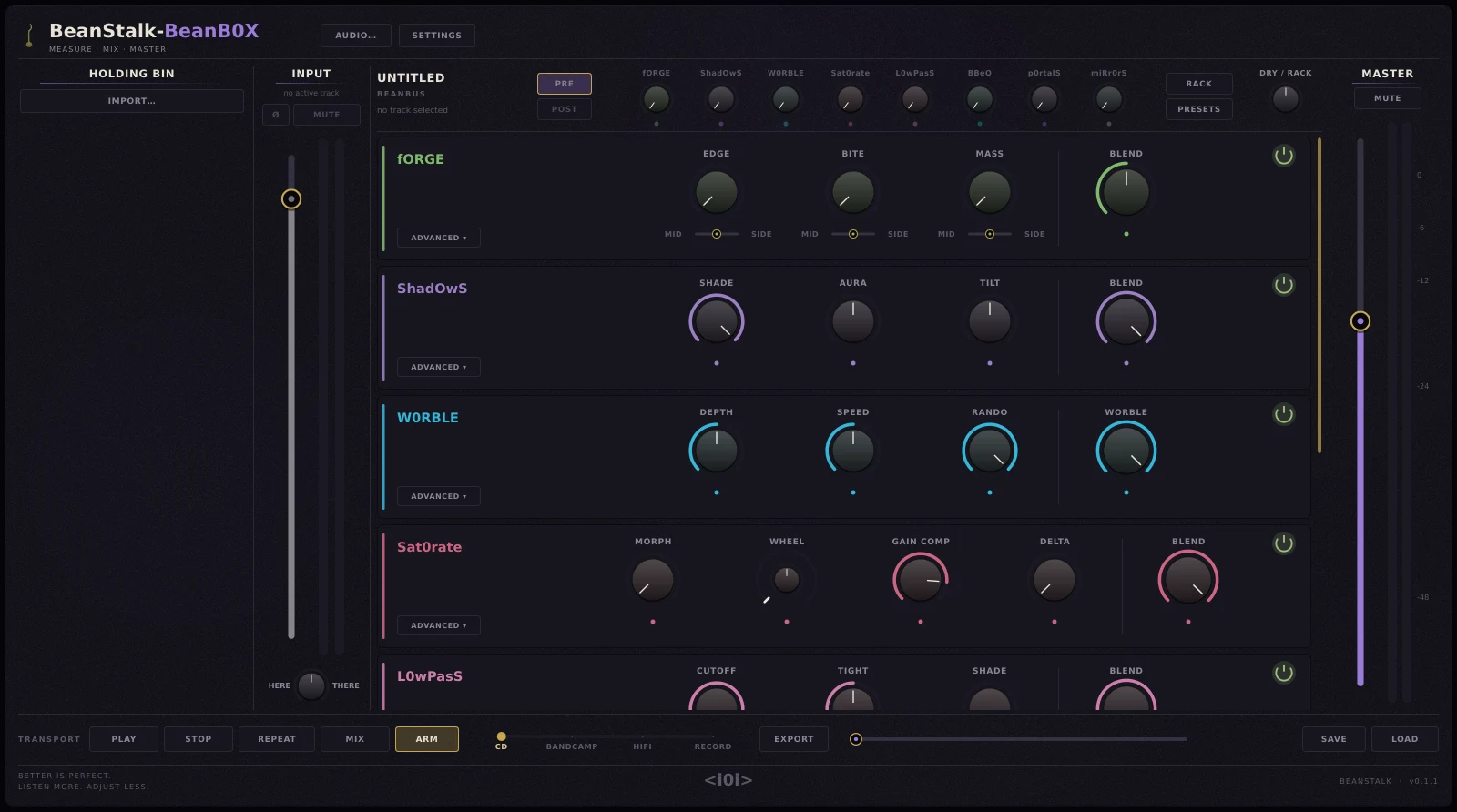
Three masters and a live take.
Arm the transport, choose a target and bounce. The graph runs at 48 kHz; CD and HiFi are resampled on the way out, and the 16-bit CD master is dithered.
Free, or pay what you want.
The download has the app for Windows and Linux (64-bit), in two CPU tiers, plus the eight BeanBus plugins. There are installers for both: Windows installs for your account with no administrator rights; the Linux installer is a script that installs into your home folder and can uninstall itself.
v3 for AVX2 CPUs (Intel 2013+, AMD 2015+) · legacy for any 64-bit CPU. The installers pick for you.~/.config/BeanB0X/BeanBus (Linux) or %APPDATA%\BeanB0X\BeanBus (Windows).Not a DAW. On purpose.
BeanB0X has no timeline, no recording-to-tracks workflow and no series routing between rack modules. It is the place to finish, check and bounce.