F0RGE
Shape a mix with several character paths, then see what changed. F0RGE puts the sound and the measurements in one place.
Shape it. Measure it. Listen.
F0RGE combines several processing paths into one stereo tool. Use the main controls to find the character, then open the measurements to see what the chain is doing.
Get F0RGE on Gumroad Pay what you want · free · VST3 + Standalone · Windows + LinuxSo, what does it do?
F0RGE puts several character tools in one place. Shape the sound, compare what changed, and keep what you like.
Curious how it works?
Six contributions, one signal — and a number on each.
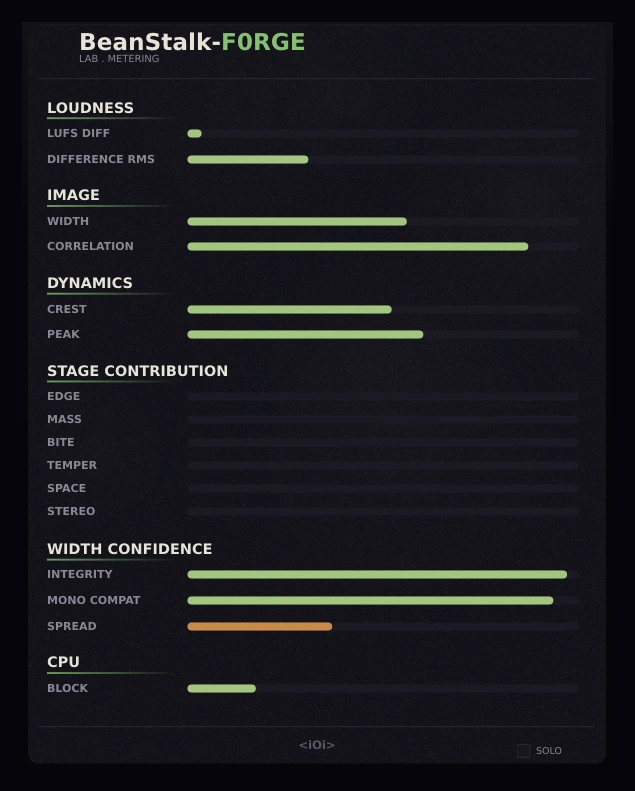
Most character processors are a black box: you turn things up until it sounds right and hope you didn't wreck the phase or collapse the stereo image doing it. F0RGE's premise is that you shouldn't have to hope. Its metering pipeline runs alongside the audio and quantifies six distinct contributions to what you hear — Edge, Mass, Bite, Temper, Space and Stereo — plus loudness difference against dry, phase correlation, crest factor, and a three-part Width Confidence score built from mid/side energy, mono compatibility and peak-cancellation behaviour.
That means you can push the character hard and immediately see whether the width you gained is real width or a mono-compatibility problem waiting to happen — before it reaches a client, a streaming encoder, or a club system. The metering is read-only and fully gated: when the Lab drawer is closed its audio-thread computation doesn't run at all, so you only pay for it while you're looking.
F0RGE's DSP is a verbatim port of an older BeanStalk stereo character engine; the JUCE rebuild changed the wrapper and the interface, not the sound. Several stages carry Airwindows-lineage algorithms (the Edge slew stage, the character clip). One inherited trait is retained deliberately — see "What it isn't" below.
Two parallel branches, crossfaded, then measured.
The input is conditioned, split into three character streams and a colour engine, then run down two parallel branches — one streams-only, one with the full Studio chain. Studio crossfades between them (Solo swaps to their difference); Delta balances the result against dry; Trim, an optional clip and a fixed output filter finish it. A non-defeatable safety ceiling bounds the final output no matter how the controls are set.
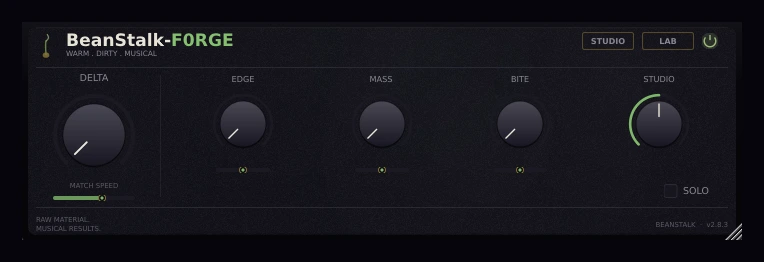
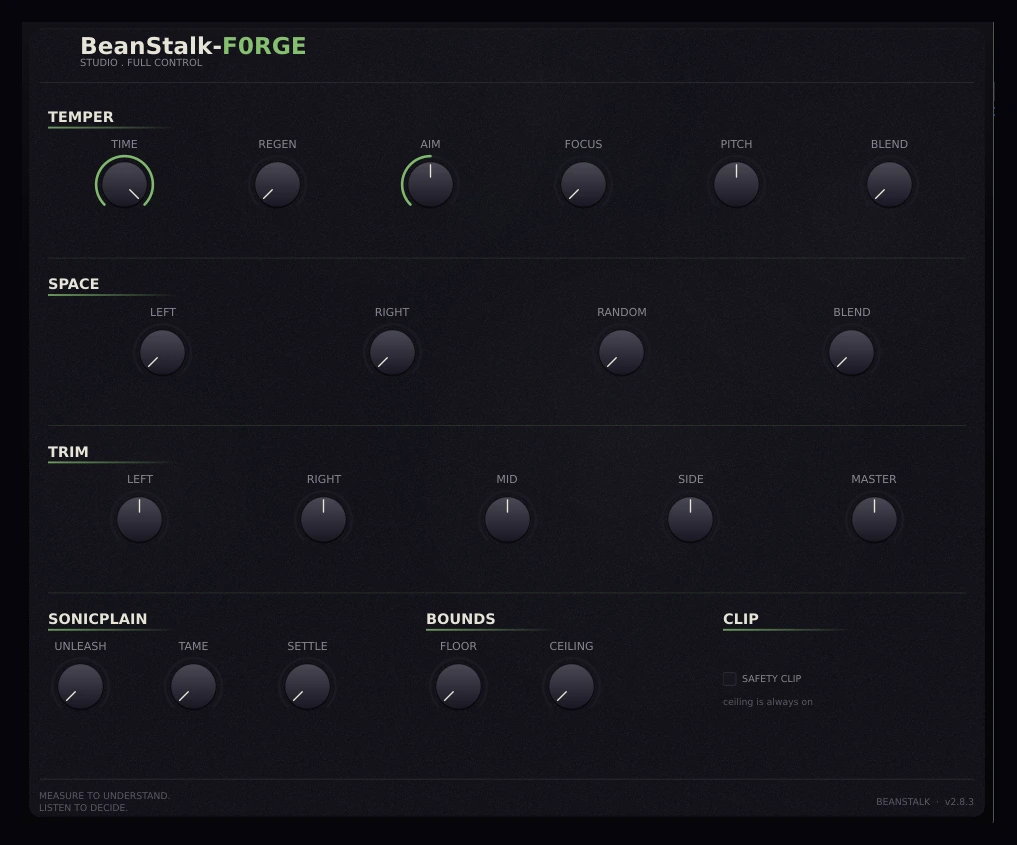
Four on the panel. The rest in the Studio drawer.
A closer look at the controls
Muted green, a gold thread. Part of the BeanStalk family.
F0RGE uses the shared BeanStalk vector panel with a dark, warm-leaning cast and a muted-green identity, gold running through it as the family state colour. The host-docked front panel is deliberately small — DELTA, the EDGE / MASS / BITE streams with their send lines, and STUDIO — with STUDIO and LAB buttons opening two independent, drag-resizable drawers. Everything is drawn with vector primitives: no baked knob art, no skin images.
Where it earns its place.
A few things to know before you download
Read this before you download.
Technical details and verified specs
Verified specifications.
Raw material. Musical results.
F0RGE is pay-what-you-want, and free is a fair price. VST3 and Standalone, Windows and Linux — more platforms may follow.
Get F0RGE on GumroadDSP Lineage & Attribution: This plugin incorporates adapted DSP components from Airwindows (Chris Johnson, MIT licensed): ClipOnly3, Monitoring3, Hypersonic, Ultrasonic, PitchDelay, EveryTrim and StereoFX. These are identified by the source headers and comments; only some have been checked stage by stage. The specific components and applicable notices are documented in the included THIRD_PARTY_NOTICES.md. This does not imply endorsement by or affiliation with Airwindows.