Ch0wCl0ne
Reverse-grain delay. Chaos you can play, not chaos you have to fight.
Backward echoes you can steer.
Ch0wCl0ne plays its echoes backward, in grains, and rolls the dice for you. ROLL deals a whole new configuration. Lock the parts you like, recall any seed, and print the same sound again.
Get Ch0wCl0ne on Gumroad VST3 + Standalone · Windows + Linux · more platforms may followSo, what does it do?
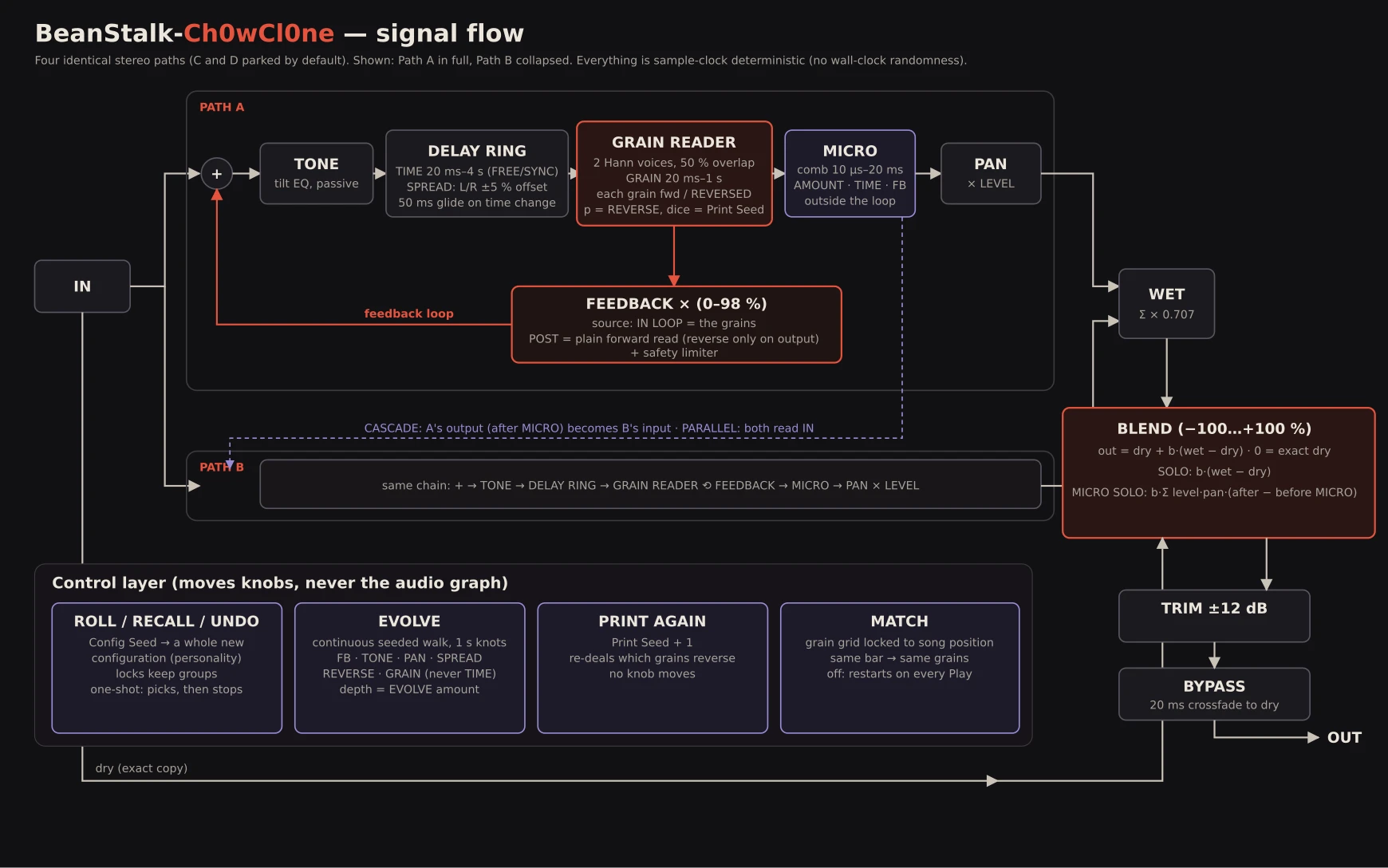
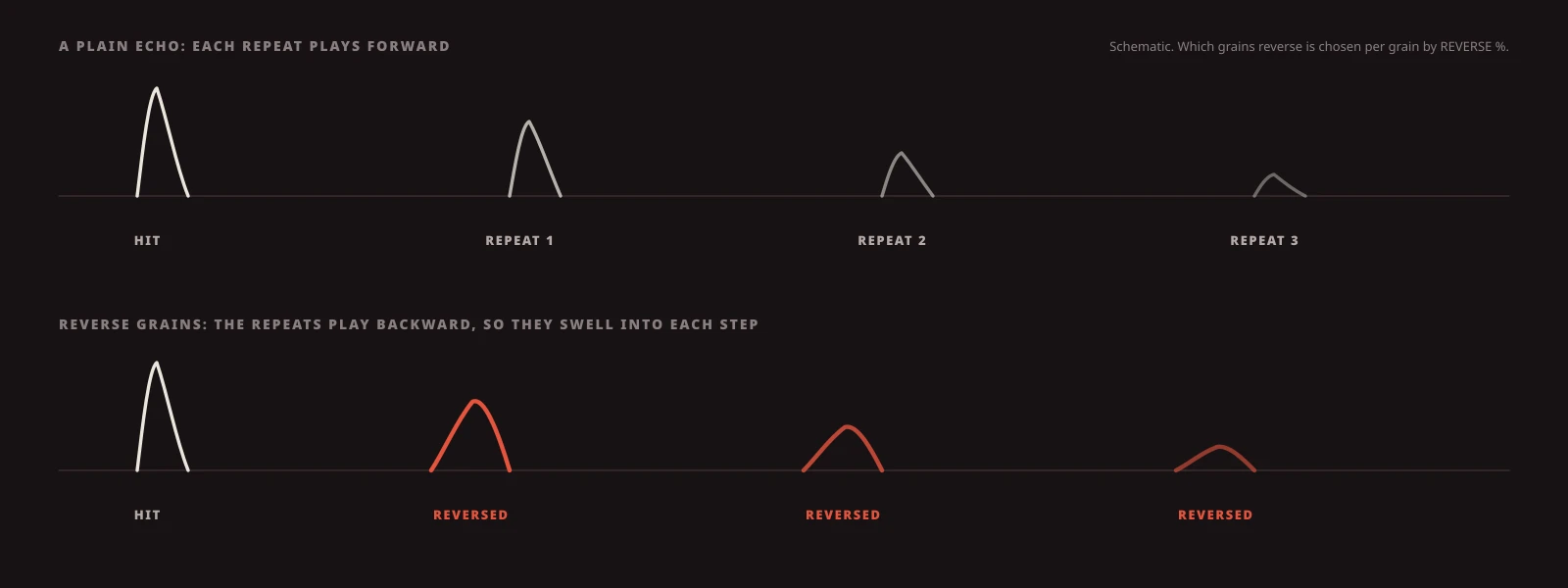
Every path is a delay with a grain reader on its output, and each grain plays forward or backward. Turn REVERSE up and a plain echo becomes swells, rain and clouds that lean into each step. Two paths run by default; two more open from the glyph. Run them in parallel, or cascade A into B.
Hit ROLL and it deals times, grain sizes, feedback, tone and pan from a seed. The seed is shown, so any sound you find can be recalled, and UNDO steps back through earlier rolls. Use it on drums, vocals, synths, a whole bus, or anything that needs to go somewhere unexpected.
Curious how it works?
Random, but never lost.
Everything is seeded and driven by the sample clock, so the same seed, settings and input give the same sound regardless of block size. ROLL deals a configuration; RECALL brings a seed back; PRINT AGAIN changes only which grains reverse, so you can print a track, re-deal it and print again. KEEP WHEN ROLLING locks Time, Feedback, Tone, Reverse, Space or Routing.
EVOLVE is a slow, seeded walk of feedback, tone, pan, spread, reverse and grain size; it never moves the delay time. CHAOS adds a seeded wobble of time and pan. Both are off at 0 %. MATCH locks the grain pattern to the song position so a bounce repeats the playback.
Reverse is causal. Zero latency.
The reverse reader plays the most recent audio backward; it never looks ahead, so the plugin reports no latency. Reverse can sit IN LOOP (re-reversed on every repeat) or POST (the loop stays forward and the reverse happens on the way out). At Blend 0 the output is your input, bit for bit.
One big button, a few dials, and a drawer.
Ember, with the values tucked away.
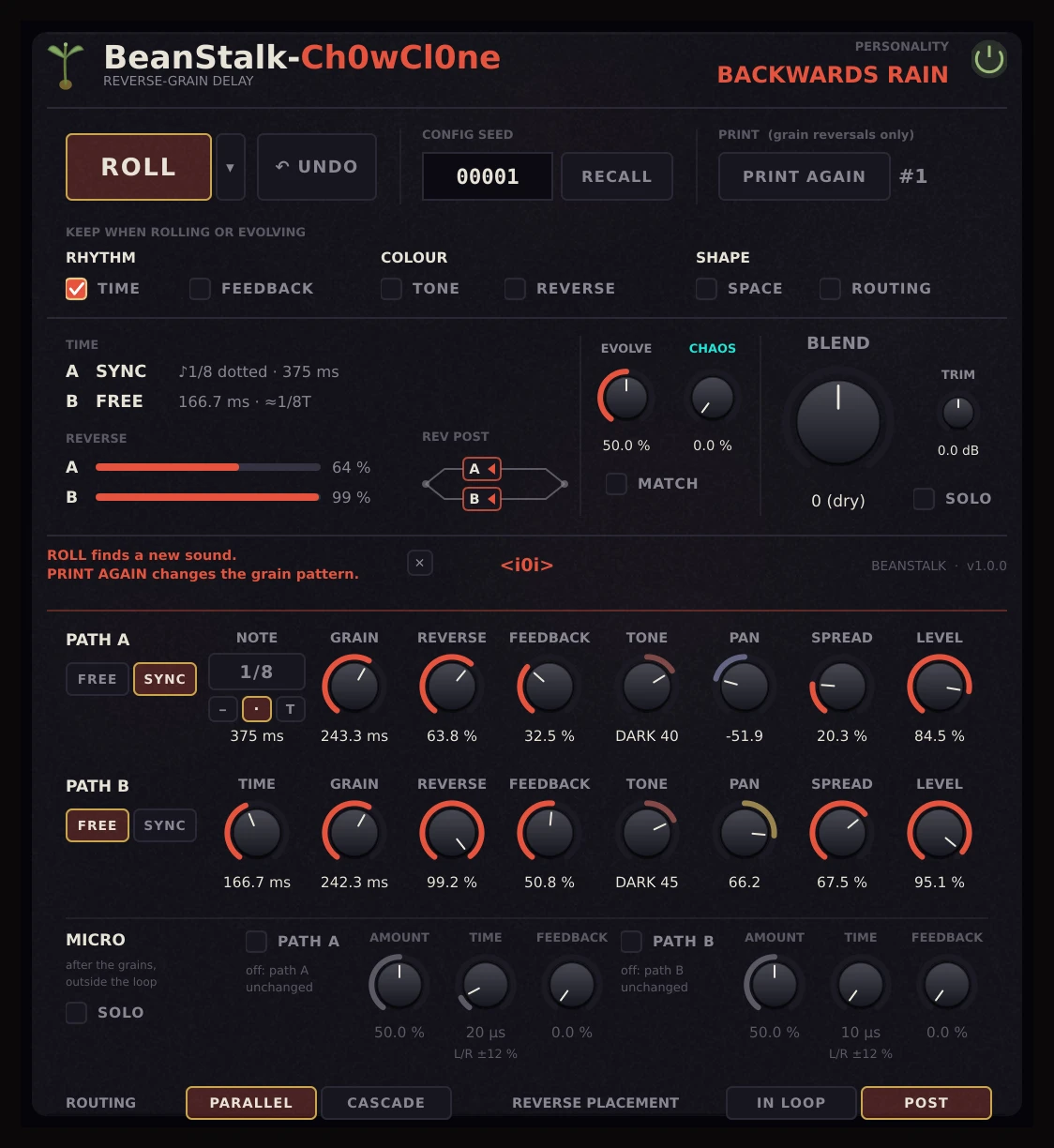
A big ROLL button, the seed, locks and Blend all on the main screen. Click the sprout to show every value; leave it off and the panel stays clean. The Advanced drawer takes no room while it is closed. It is drawn with vector primitives in the shared BeanStalk family style, resizable and aspect-locked.
A few things to know before you download
Read this before you download.
Technical details and verified specs
Verified specifications.
Chaos you can play.
VST3 and Standalone, Windows and Linux. More platforms may follow.
Get Ch0wCl0ne on Gumroad